Off-grid power · October 7, 2026
Paralleling two EG4 6000XPs off grid
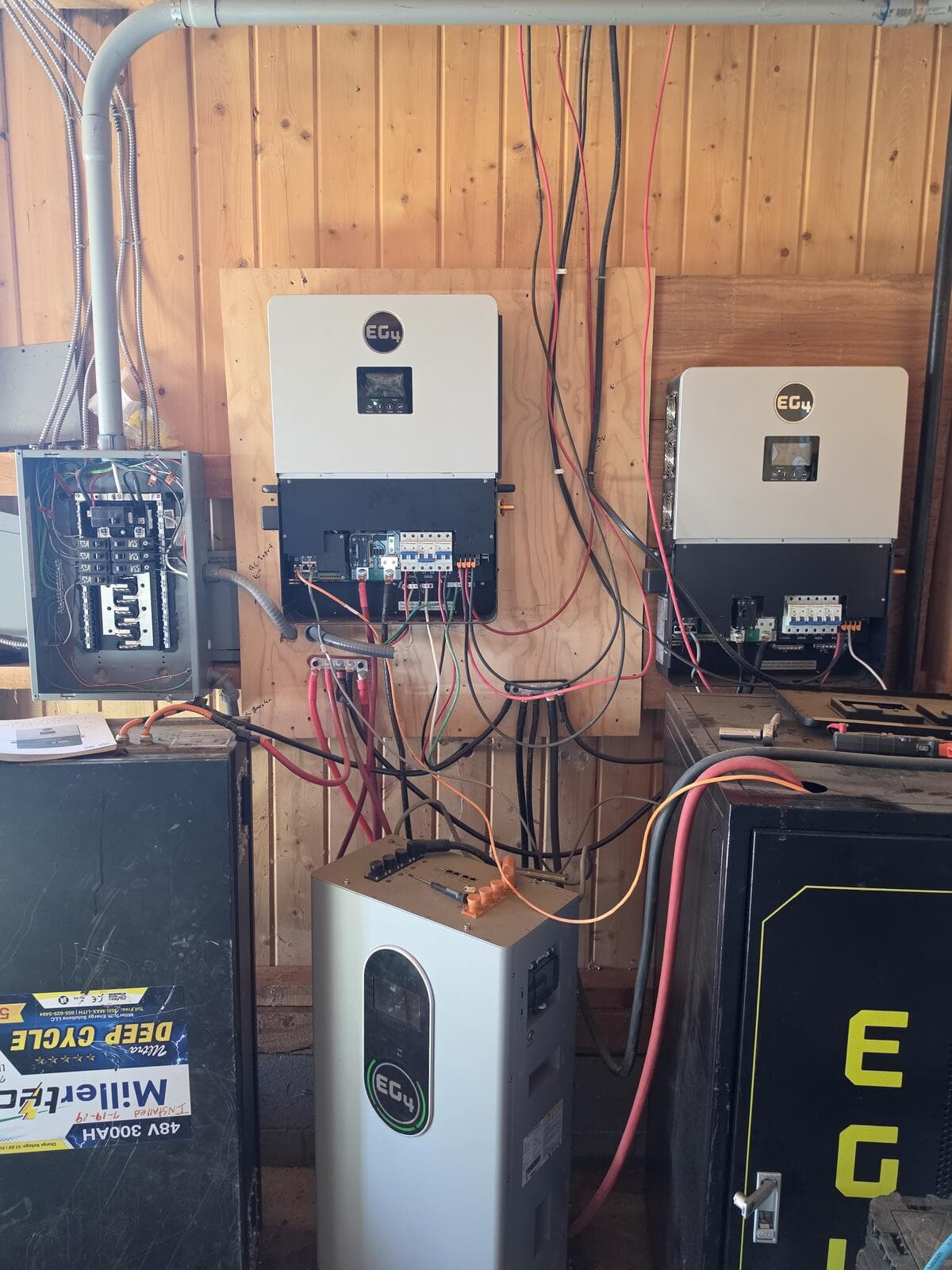
We run the ranch on two EG4 6000XP off-grid inverters, a bank of mixed 48V batteries, and a backup generator. One inverter couldn't carry the clothes dryer, and the generator only charged one of them. Over a few days we fixed both. Here is what we did, what broke, and what we would tell any farmer about to try it.
What we were after
- Generator charging on both inverters, so a cloudy week doesn't drain the bank.
- Both inverters in parallel at 120/240V, so the house gets 12 kW instead of 6 kW. One 6000XP is about the size of a dryer by itself.
The EG4 6000XP manual covers this in sections 6.8 (generator) and 6.12 (paralleling). It has the diagrams and settings but no breaker or wire sizes, so we filled those in. Get the current manual from EG4. Our printed copy was version 1.6.7 and the one online was 1.7.3.
Step 1: Feed the generator to both inverters
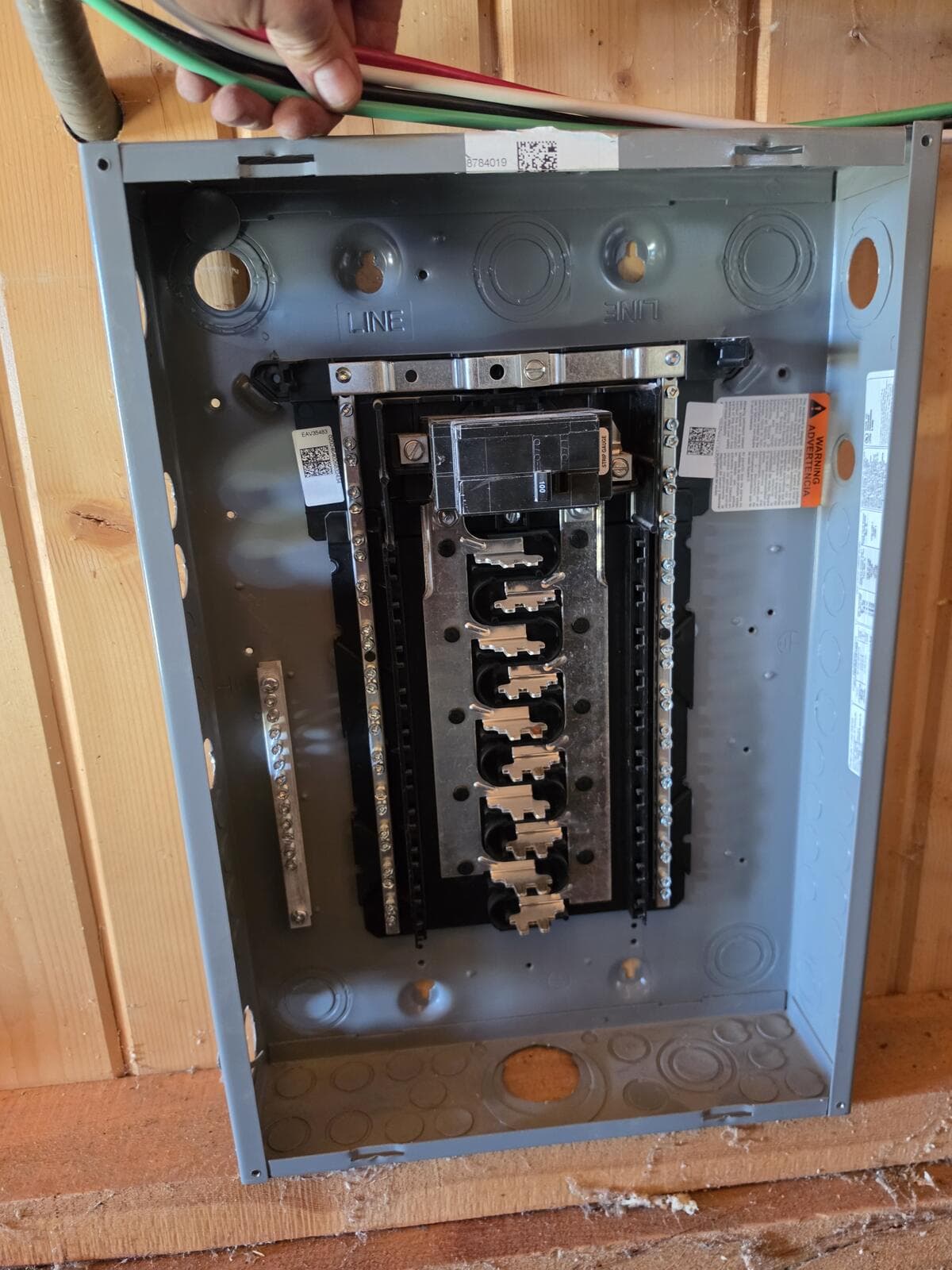
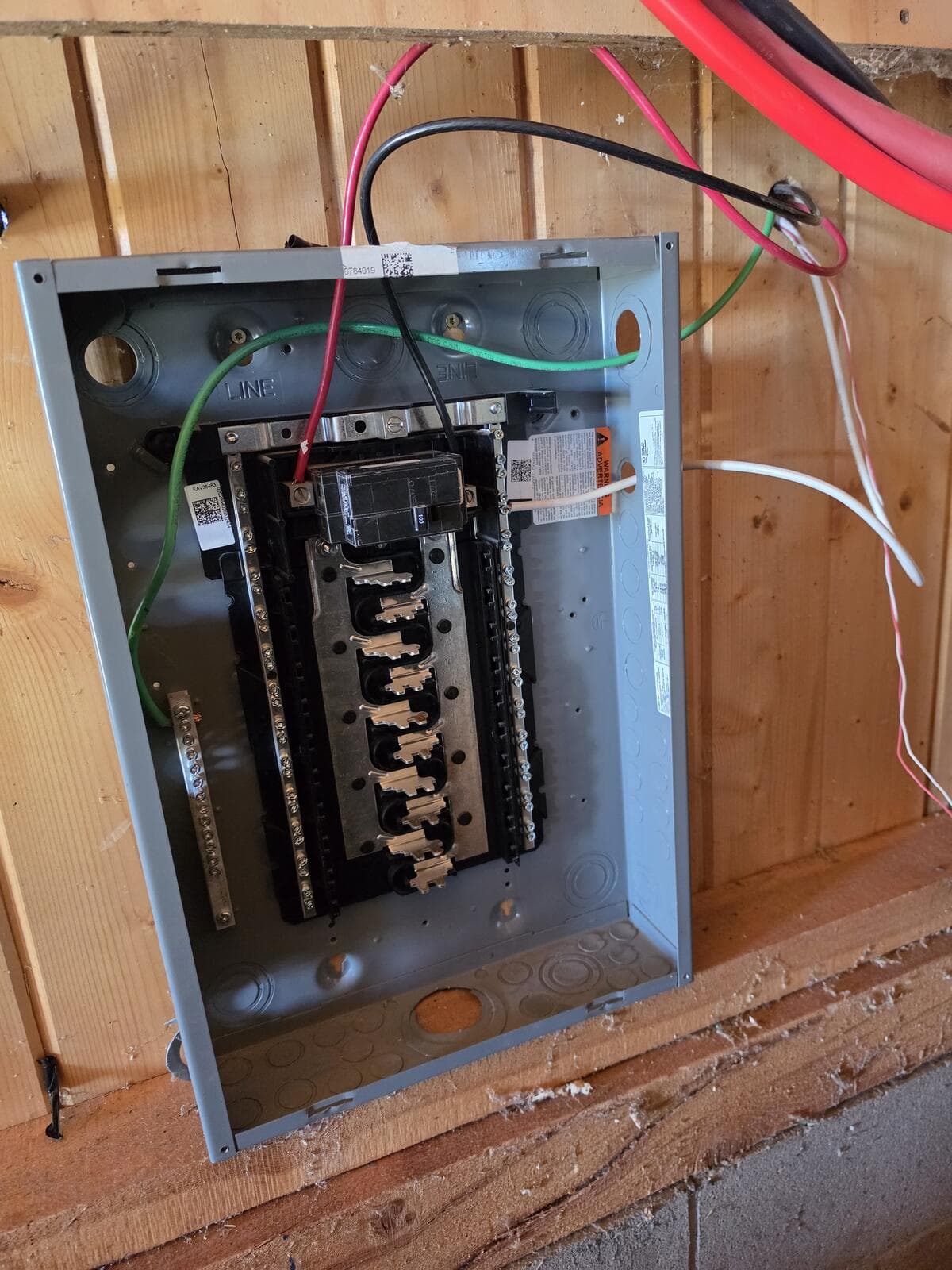
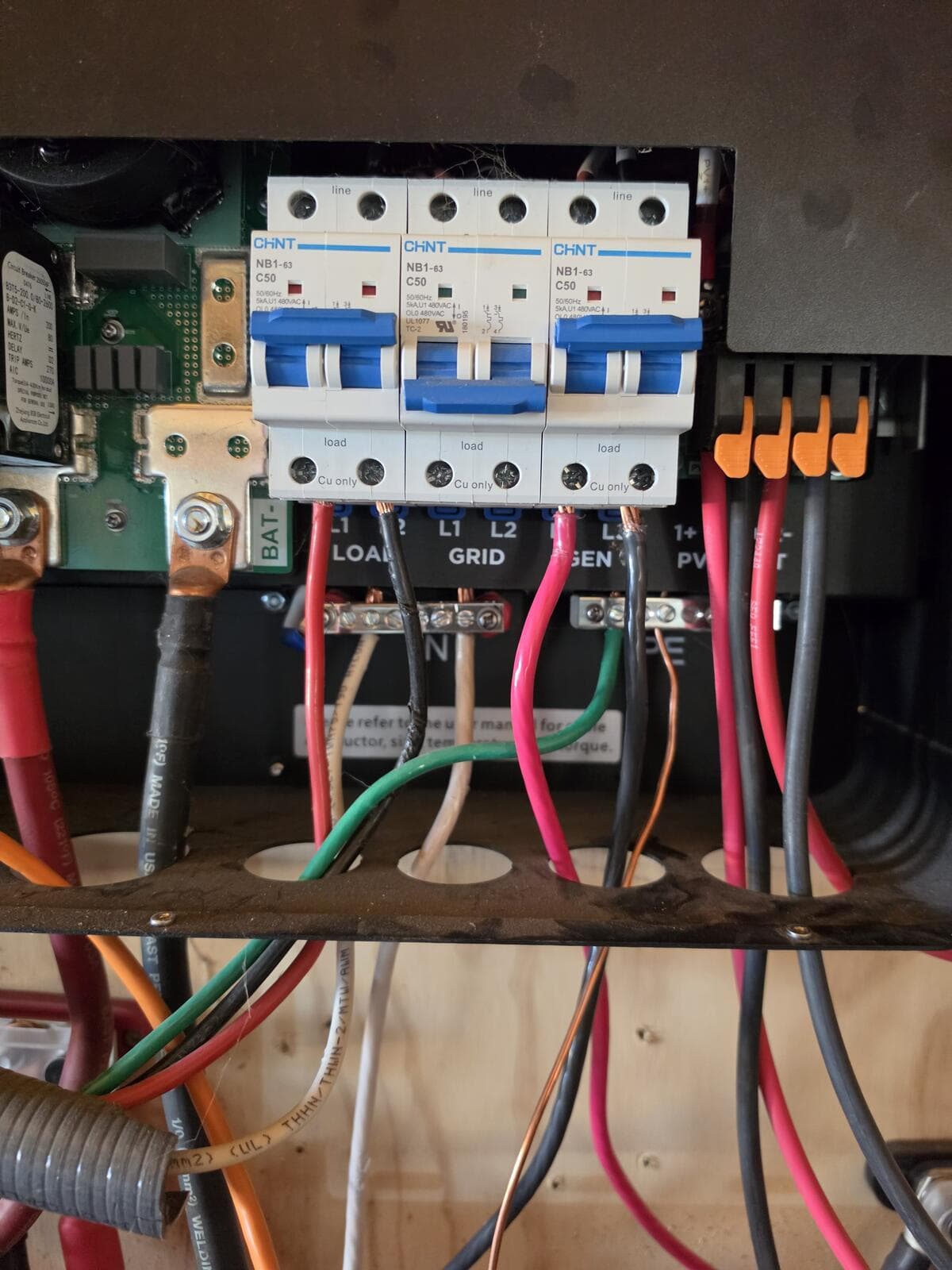
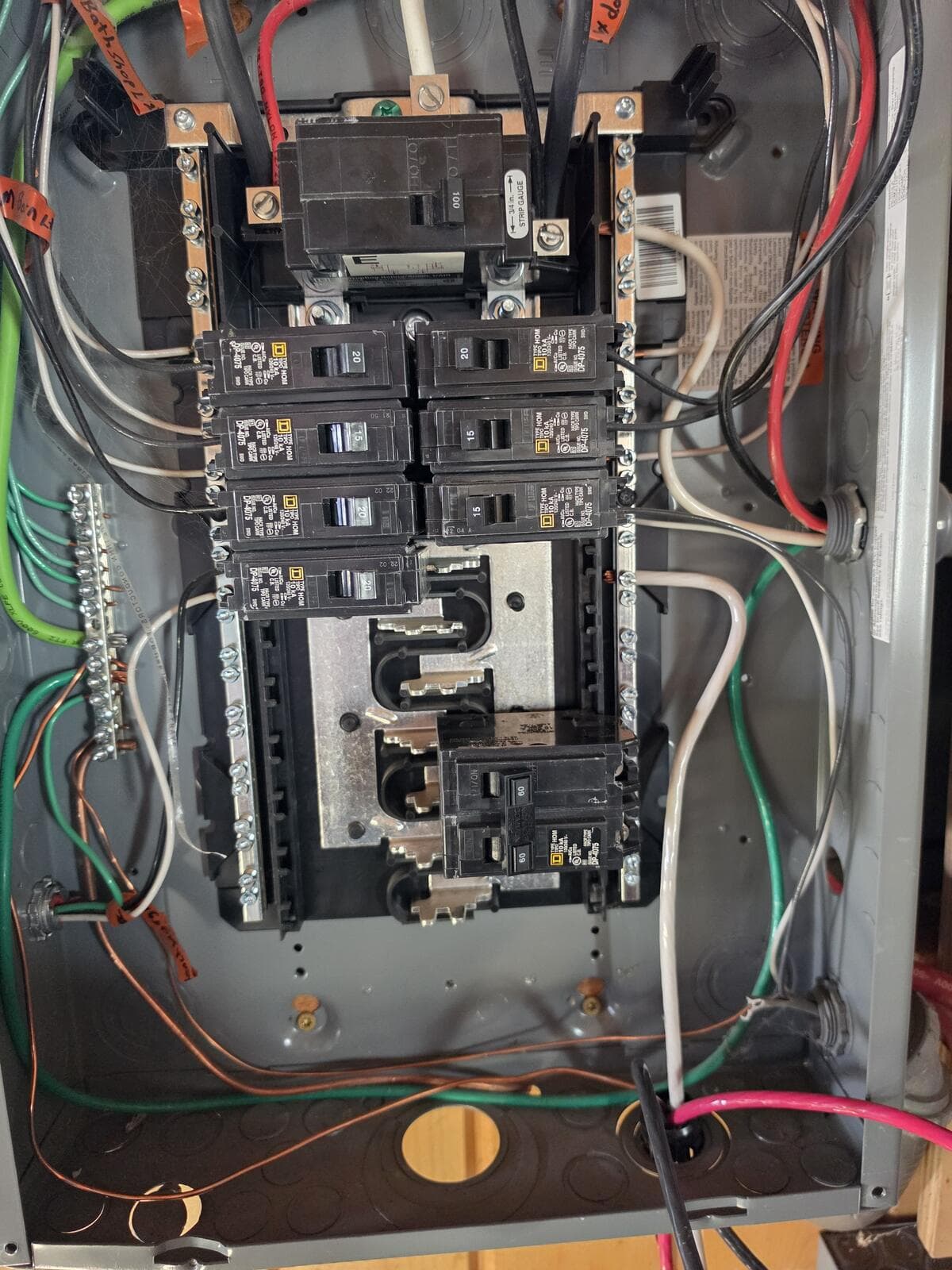
The manual says that in a parallel system the generator has to feed every inverter, or they fault. We used a small Square D Homeline panel as a splitter: generator into the 100A main, then one 2-pole breaker out to each inverter's GEN terminals.
Breaker size: 50A or less per inverter
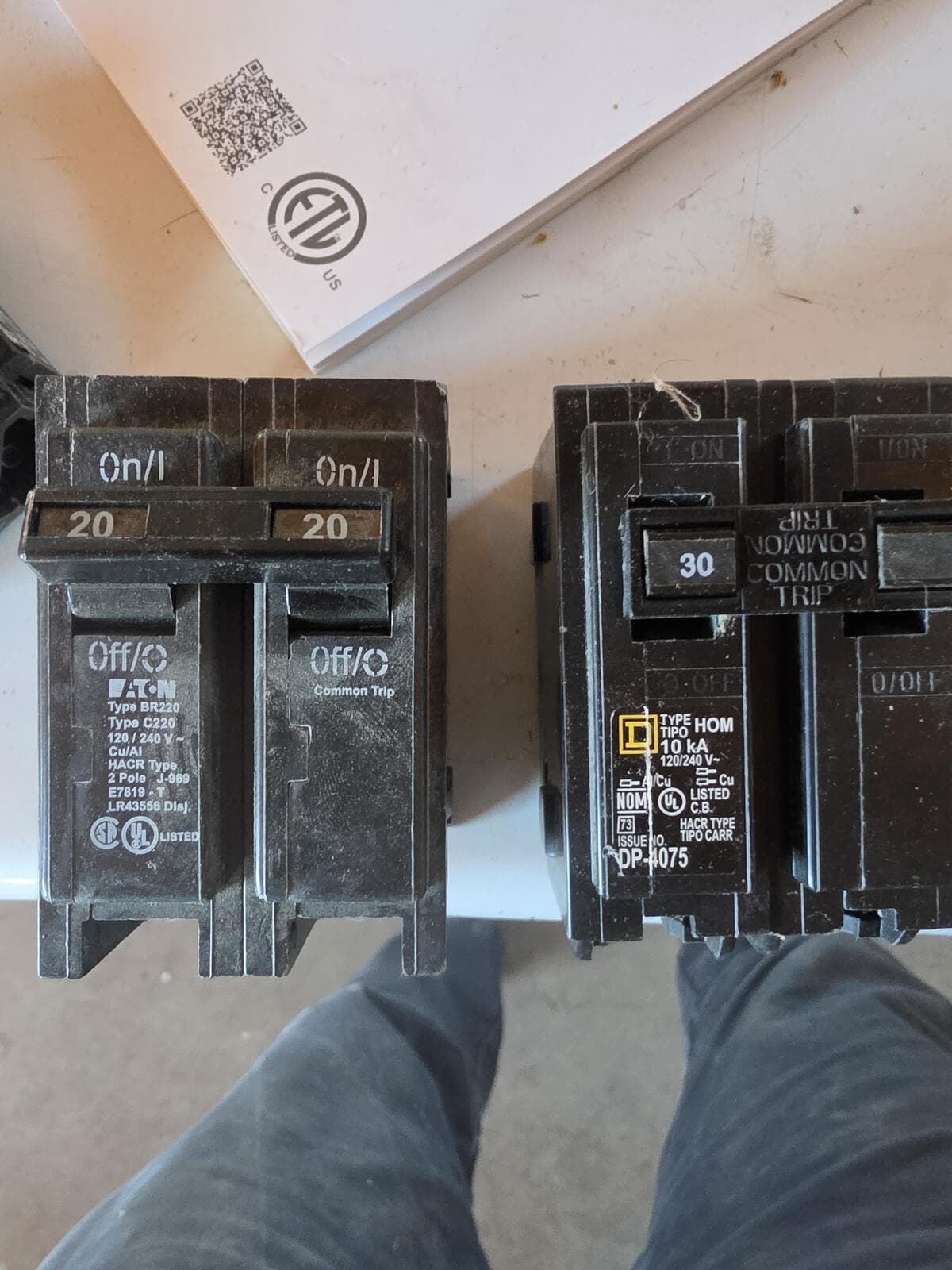
Each 6000XP's GEN input is rated 50A and has its own 50A breaker on the front. We tried a 60A and a 70A from the scrap pile and talked ourselves out of both. A 30A is fine for charging. Set setting 18 (Max Generator Input Power) to about 5,700 W so the 30A doesn't trip.
Breaker brand must match the panel
An Eaton BR breaker will snap onto a Homeline bus, but it isn't listed for it. Use HOM breakers in a Homeline panel.
Wire for a 30A run: 10/3 NM-B with ground
You need four conductors: two hots, neutral and ground. Most of the orange cable on the shelf is 10/2 with no neutral, so read the label. Put a ¾″ NM connector where the cable enters the panel.
The “nothing on Inverter 2” scare
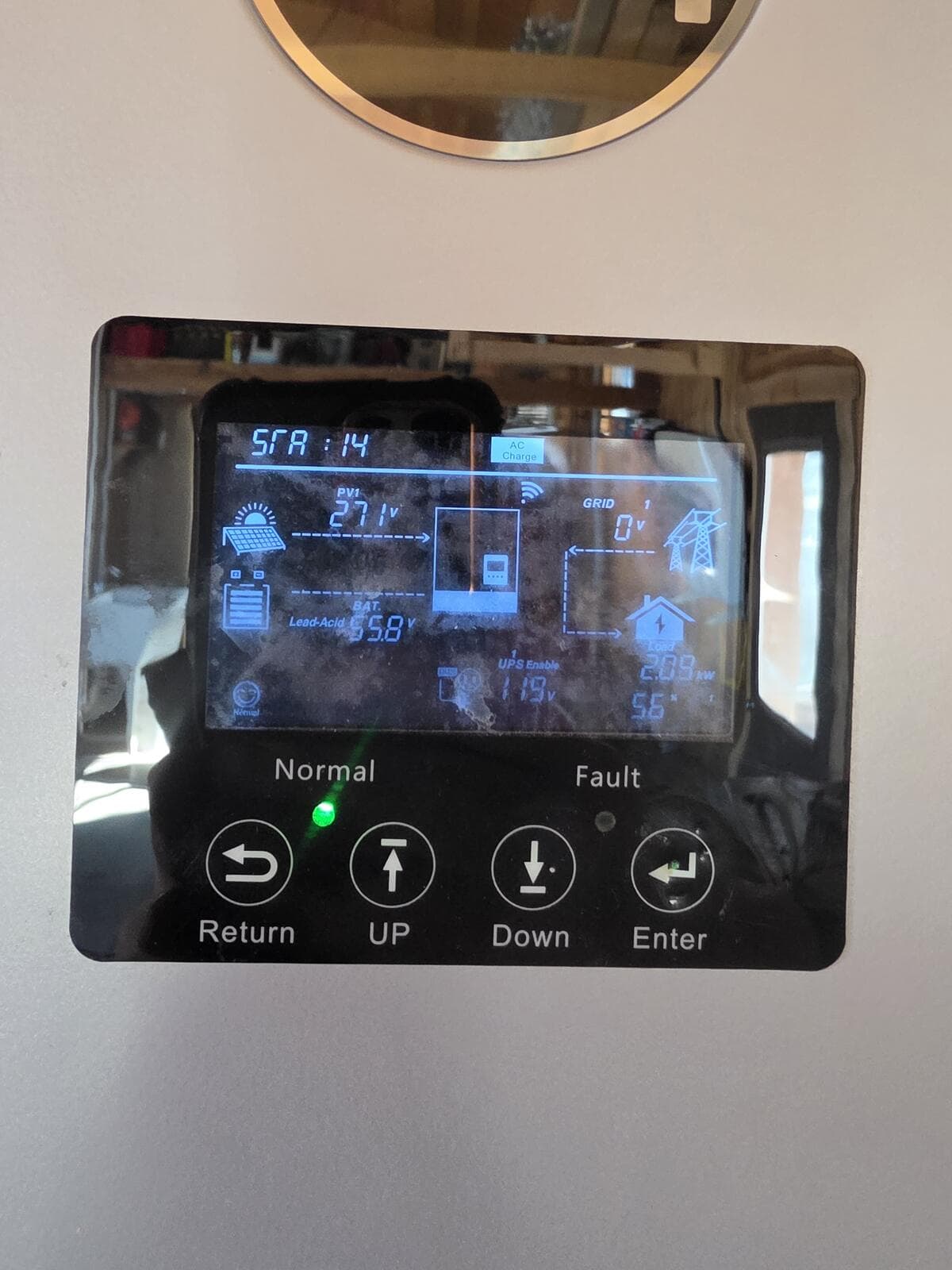
Inverter 1 showed AC Charge on its screen and Inverter 2 didn't. Both screens read SrA:14, which the manual's status table lists as “PV & Battery On-Grid”, meaning the inverter does see AC on its input. So the wiring was fine. The AC Charge label means the AC Charge setting (setting 14) is enabled, and its default charge window is 00:00 to 00:00, which is no window at all. Charging also only starts once the battery drops below the Start voltage, which can't be set above 52V.
Step 2: Wire the inverters to talk
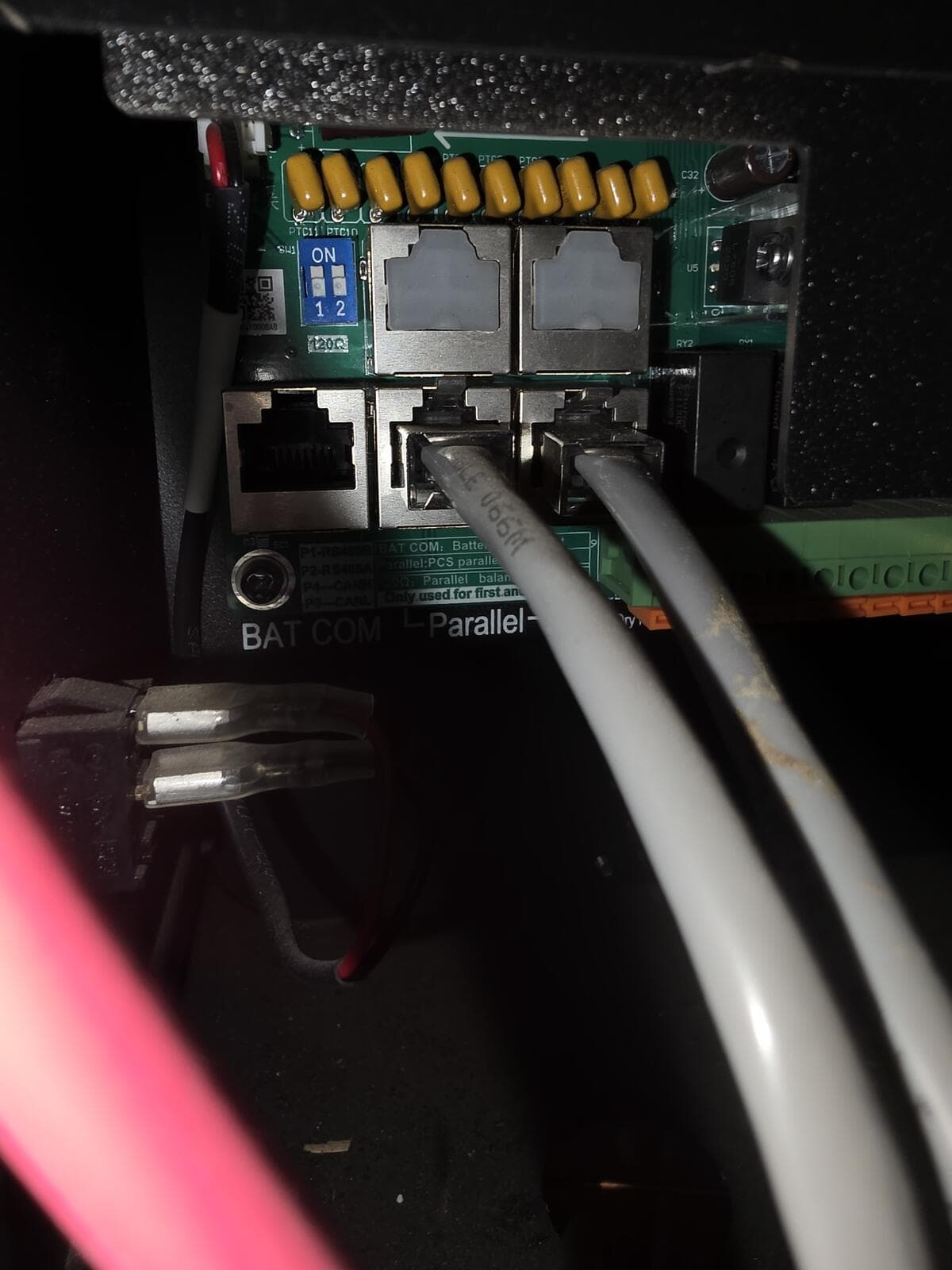
- Two Cat5 patch cables between the two Parallel ports on each inverter, forming a loop. Not the BAT COM port.
- The small blue DIP switch beside the ports (the 120Ω termination) set to ON on both. With two inverters, each one is both “first” and “last.”
- Matching firmware. Press Down from the home screen to cycle the top-left corner to the firmware version. If yours don't match, update in the EG4 app under Maintenance, then Remote Update.
Step 3: Settings, and who's in charge
On both inverters, setting 21: Parallel Type 1PH, Parallel Phase P1, Battery Shared Enable. Press Enter after each one or it doesn't save. Then turn on the AC output of Inverter 1 first, so it becomes the host.
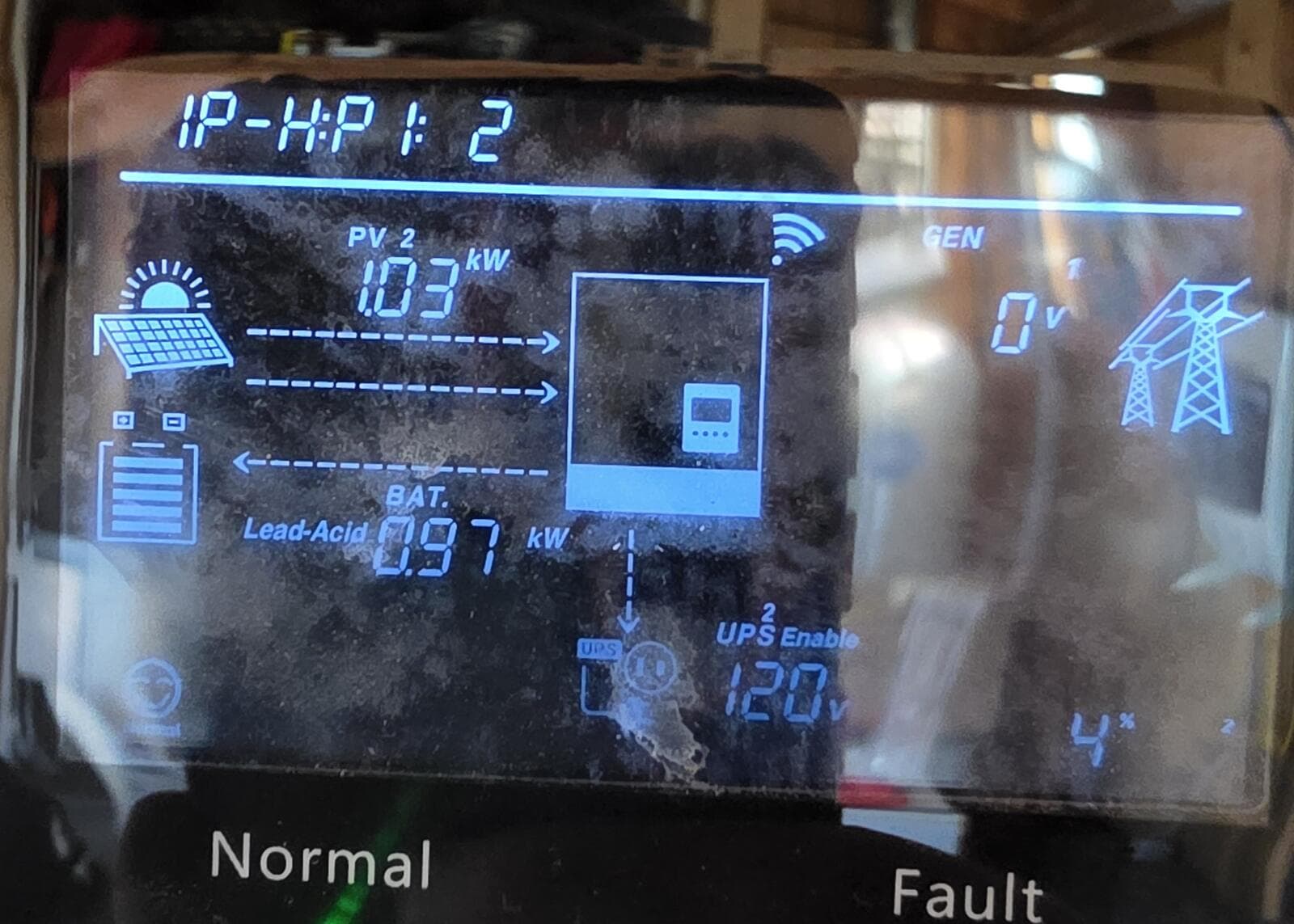
1P-H:P1:2 means split-phase parallel, host, phase 1, two inverters found. The other one should read 1P-S.Step 4: Tie the outputs together, carefully
We backfed Inverter 2's LOAD output into the house panel through its own 2-pole breaker. Inverter 1 already fed the panel's main lugs. Two inverter outputs that aren't in sync will fight each other, so keep Inverter 2's LOAD breaker off until the parallel setup is done and the phase check passes.
The breaker that tripped with nothing on it
The new 60A tripped the instant we flipped it, even with Inverter 2's breaker open. We chased the cable and the inverter terminals before trying the obvious test: take the wires off the breaker and flip it. It still tripped. It was a bad breaker from the scrap pile, sitting crooked on the bus. Another HOM 2-pole in the same spot held fine.
The phase check that saves your inverters
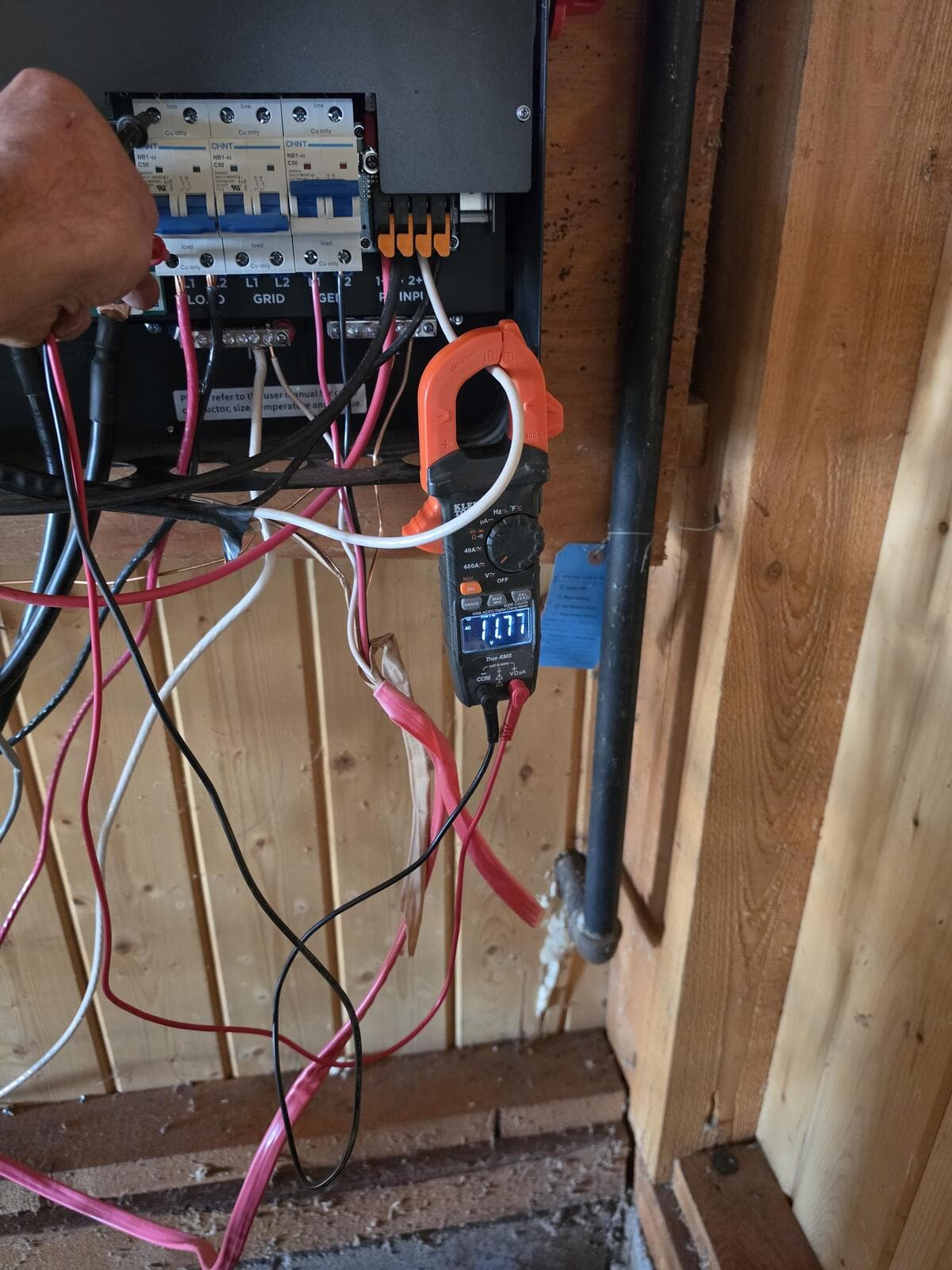
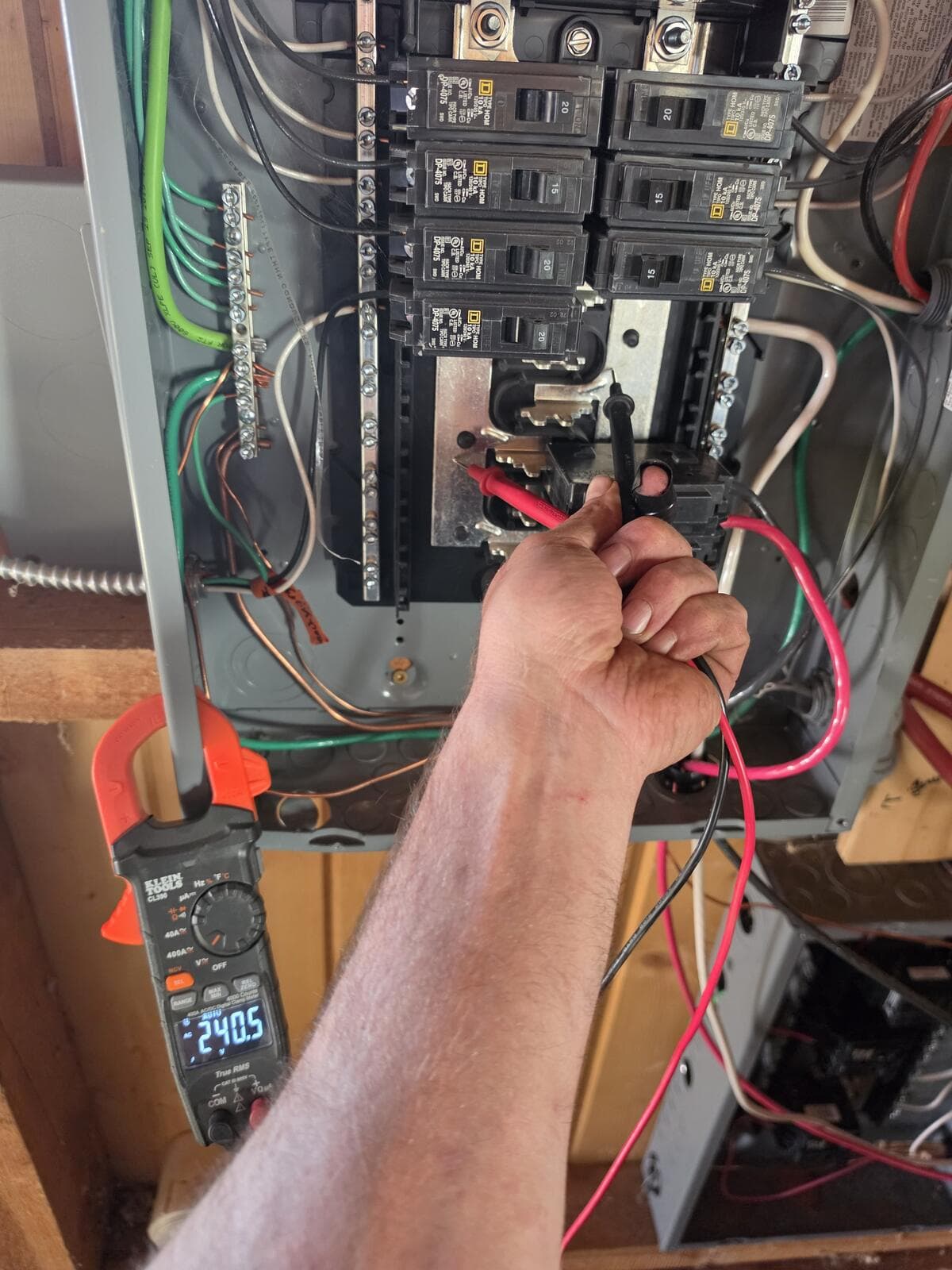
With Inverter 2 running and its LOAD breaker open, and the panel powered by Inverter 1, measure across each pole of Inverter 2's LOAD breaker, top screw to bottom screw. Near 0V means the legs line up. About 240V means L1 and L2 are crossed somewhere. Swap them before closing anything.
Error codes we ran into
Look at the face icon in the bottom-left corner of the screen. The same number means different things with a neutral face and a sad face.
| Screen | Meaning | What fixed it |
|---|---|---|
| Neutral face + 28 | EPS overload: too much load on one inverter, or on one 120V leg. | Paralleling, and balancing 120V circuits between L1 and L2. |
| Sad face + 28 | Sync signal lost in a parallel system. | Both Cat5 cables, DIP switches ON, setting 21 identical on both. |
| 08 / 09 / 29 | Parallel communication problems. | Cables, DIP switches, matching firmware. |
| 19 | AC inputs don't match between inverters. | Feed the generator to both, L1 to L1. |
Checklist for your own shed
- Same inverter model and the same firmware on both.
- Generator feeds every inverter through its own breaker, 50A or less, same brand as the panel.
- Red to L1, black to L2 at every inverter. Write it on the wall.
- One neutral-ground bond in the whole system. Check your generator and setting 26.
- Settings 3, 6, 7, 8, 10–12, 14, 18 and 25 identical on both inverters.
- Two Cat5 cables in the Parallel ports, DIP switches ON.
- Setting 21: 1PH, P1, Battery Shared. Host on first.
- Phase check across the open LOAD breaker before you close it.
- A breaker that trips with nothing connected is a bad breaker. Test it alone first.
- Hold-down kits on backfed breakers.
Still on our list
The 70A breaker that got us through testing is too big for 6 AWG wire, so a new HOM250 or HOM260 goes in its place. Inverter 1's output comes off the main lugs and gets its own matching breaker. Hold-down kits go on both, and the covers go back on.
We're ranchers, not electricians. This is what worked in our shed, not a wiring plan for yours. EG4's own manual says its diagrams are representative and that a licensed electrician and your local inspector should approve the final design. Please have yours checked.